Login requirements for Security Cloud Control
Login requirements for Security Cloud Control are authentication components that
-
require a multifactor authentication provider, and
Authentication process and components
The IdP account contains the user's credentials and the IdP authenticates the user based on those credentials. Mutlifactor authentication provides an added layer of identity security. The Security Cloud Control user record primarily contains the username, the Security Cloud Control tenant with which they are associated, and the user's role. When a user logs in, Security Cloud Control tries to map the IdP's user ID to an existing user record on a tenant in Security Cloud Control. The user is logged in to that tenant when Security Cloud Control finds a match.
Unless your enterprise has its own single sign-on identity provider, your identity provider is Security Cloud Sign On. Security Cloud Sign On uses Duo for multifactor authentication.
To log into Security Cloud Control, you must first create an account in Cisco Security Cloud Sign On, configure multifactor authentication (MFA) using Duo Security and have your tenant Super Admin create a Security Cloud Control record.
On October 14, 2019, Security Cloud Control converted all previously existing tenants to use Cisco Security Cloud Sign On as their identity provider and Duo for MFA.
 Note |
|
If your Security Cloud Control tenant existed before October 14, 2019, see Migration to Cisco Security Cloud Sign On identity provider.
Initial login to your new Security Cloud Control tenant
Initial login to a new Security Cloud Control tenant is a security process that
-
uses Cisco Security Cloud Sign On as the identity provider
-
requires DUO for multifactor authentication (MFA) to provide an added layer of security, and
-
involves creating a Security Cloud Sign On account and configuring MFA during the provisioning flow.
Prerequisites for initial login
Before you begin the initial login process, complete these requirements:
-
 Install DUO Security. We recommend installing the DUO Security app on a mobile phone. Review DUO Guide to Two Factor Authentication: Enrollment Guide if you have questions about installing DUO.
-
Time Synchronization. You are going to use your mobile device to generate a one-time password. It is important that your device clock is synchronized with real time as the OTP is time-based. Make sure your device clock is set automatically or manually set it to the correct time.
MFA provides an added layer of security in protecting your user identity. Two-factor authentication, a type of MFA, requires two components, or factors, to ensure the identity of the user logging in to Security Cloud Control. The first factor is a username and password, and the second is a one-time password (OTP), which is generated on demand.
To create a new tenant, click here.
Important |
If your Security Cloud Control tenant existed before October 14, 2019, use Migration to Cisco Security Cloud Sign On identity provider for login instructions instead of this article. |
Sign IN to Security Cloud Control IN different regions
These are the URLs you use to sign IN to Security Cloud Control IN different AWS regions:
|
Region |
Security Cloud Control URL |
|---|---|
|
Asia-Pacific and Japan (APJ) |
|
|
Australia (AUS) |
|
|
Europe, the Middle East, and Africa (EMEA) |
|
|
India (IN) |
|
|
United States (US) |
Tip: troubleshooting login failures
Login fails because you are inadvertently logging in to the wrong Security Cloud Control region
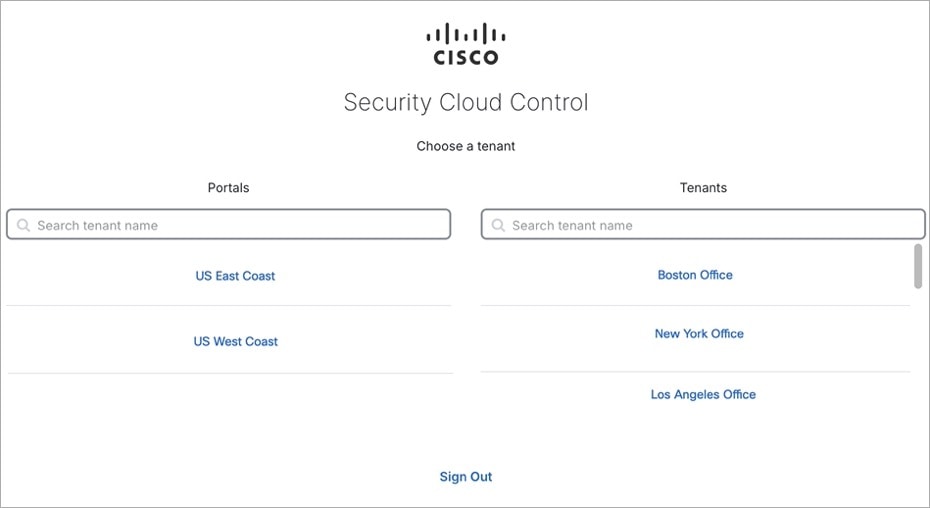
Make sure you are logging in to the appropriate Security Cloud Control region. After you log in to https://sign-on.security.cisco.com, you will be given a choice of what region to access.
 ) icon to onboard an
 ).
 .


 , and check
 .
 .
 to create an object.
 in the
 arrow in
 arrow in
 appearing beside the object name or network group to modify them.




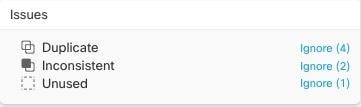
 are objects with the same name, but different values, on two or more devices. Sometimes users create objects in different
configurations with the same name and content, but over time the values of these objects diverge, which creates the inconsistency.
 .



 Feedback
